
 Deutsch
 English
 Türkçe
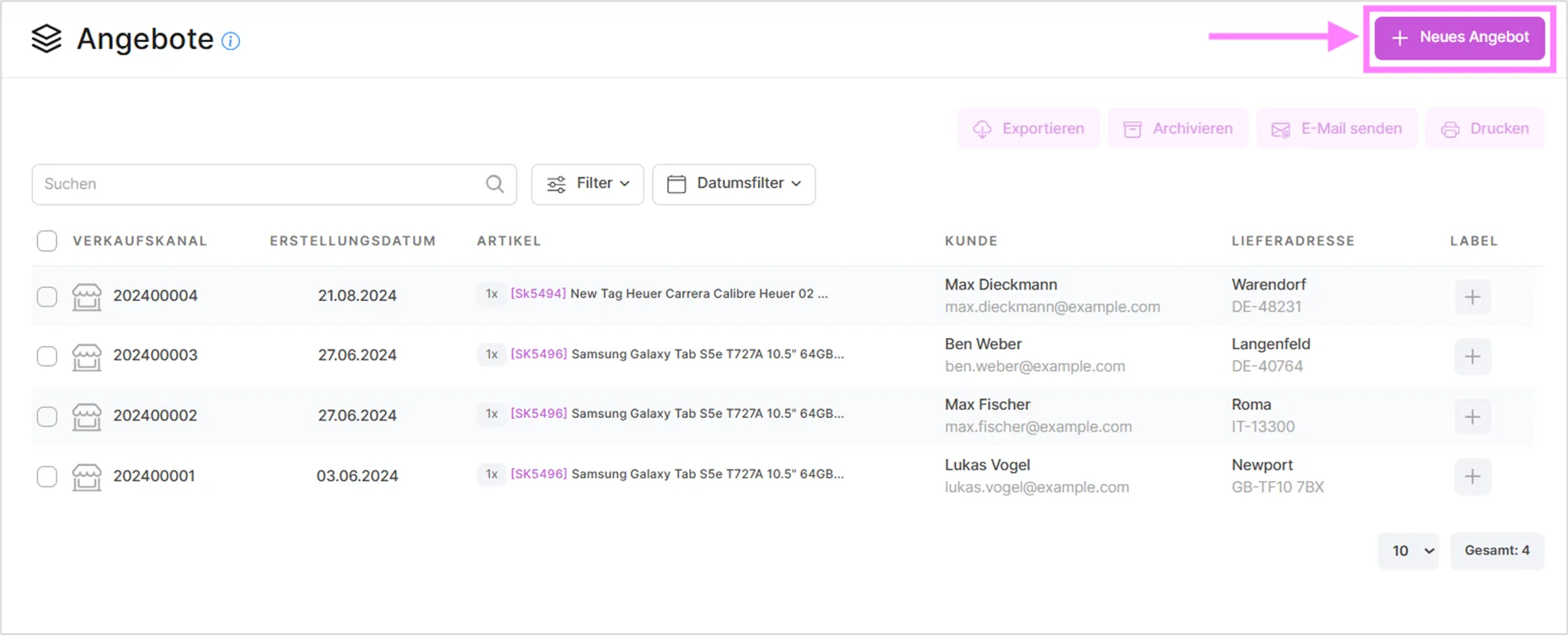
On this page you can create quotes by clicking the 'New Quote' button and edit your existing quotes.
When you hover your mouse over the relevant quote, you'll see a three-dot icon on the right. Clicking it opens a dropdown menu where you can perform operations on that quote.
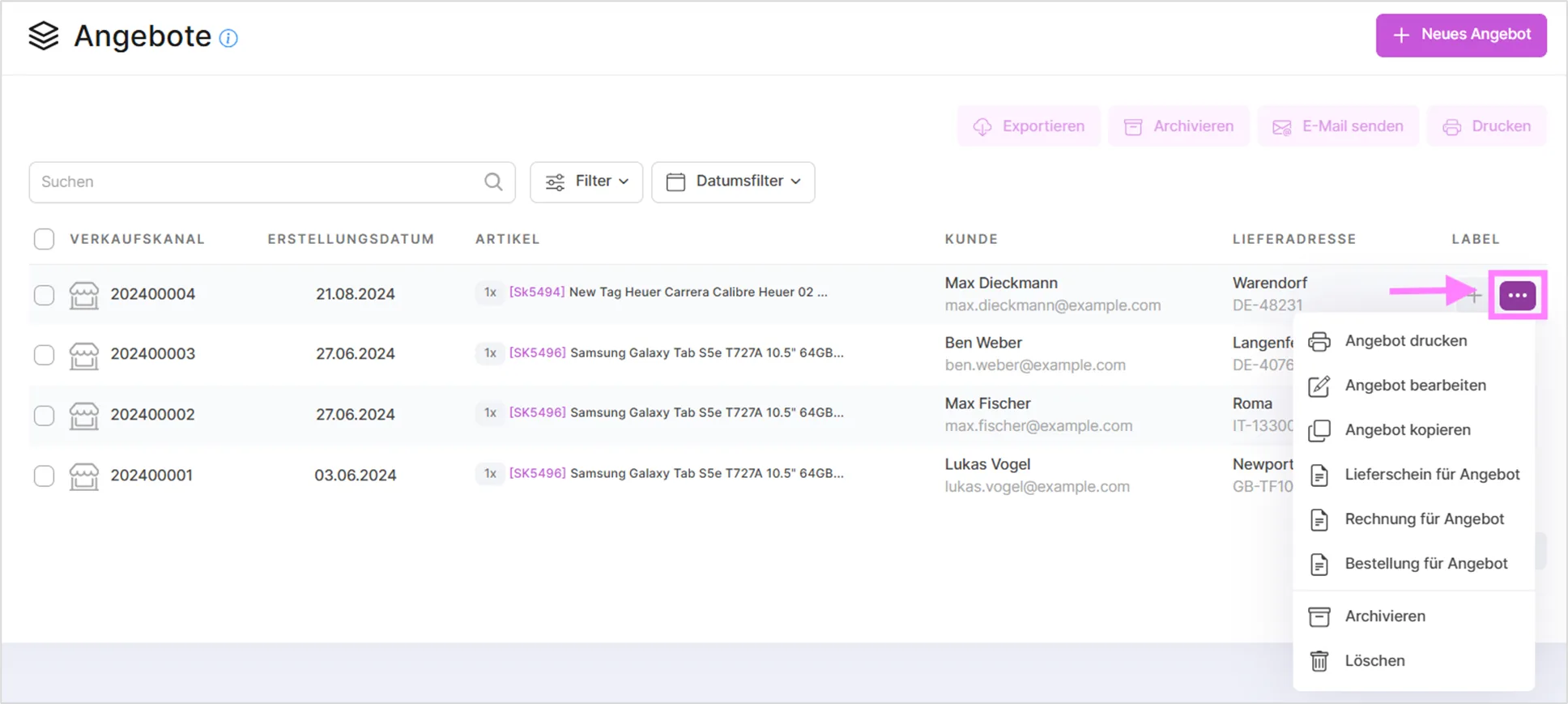
If you want to send the quote to the archive, simply click 'Send to archive' in this dropdown menu. You will then find the corresponding quote in the Archive area.
By selecting one or more customers from the list, you can send them information about the quotes using the 'Send email' function. With the 'Print' function you can print selected quotes. You can search by ID and name using the search bar below.

With the "New Quote" function you can create new quotes for your customers. The steps in this area are the same as those in the section for creating new orders.
Summary Bar
Above the quote list, a summary bar gives you a quick overview of your current quoting activity without having to open each quote individually. It shows four figures:
- Open quotes: how many quotes are still awaiting a customer decision.
- Quote value this month: the total value of all quotes created in the current month.
- Converted this month: how many of this month's quotes have already turned into an order.
- Conversion rate: the share of this month's quotes that converted to an order. This figure turns green as soon as it reaches 30% or more, giving you an at-a-glance signal of how well your quotes are performing.
Shipping Filter
The filter area also lets you narrow the quote list down by shipping status. You can filter for quotes with a shipping label, quotes without a shipping label, or quotes with a shipping error, so you can quickly spot the ones that still need attention before they go out.
Duplicate-Conversion Protection
If a quote has already been converted into an order, SaleVali warns you before you convert it again, so you don't accidentally create a second order from the same quote.
Video Tutorials
Creating Special Quotes for Customers
Sending Quotes to Customers
Converting Quotes into Orders
Was this article helpful?
Thanks for your feedback!